
Renewal fees:
$129 saved every year
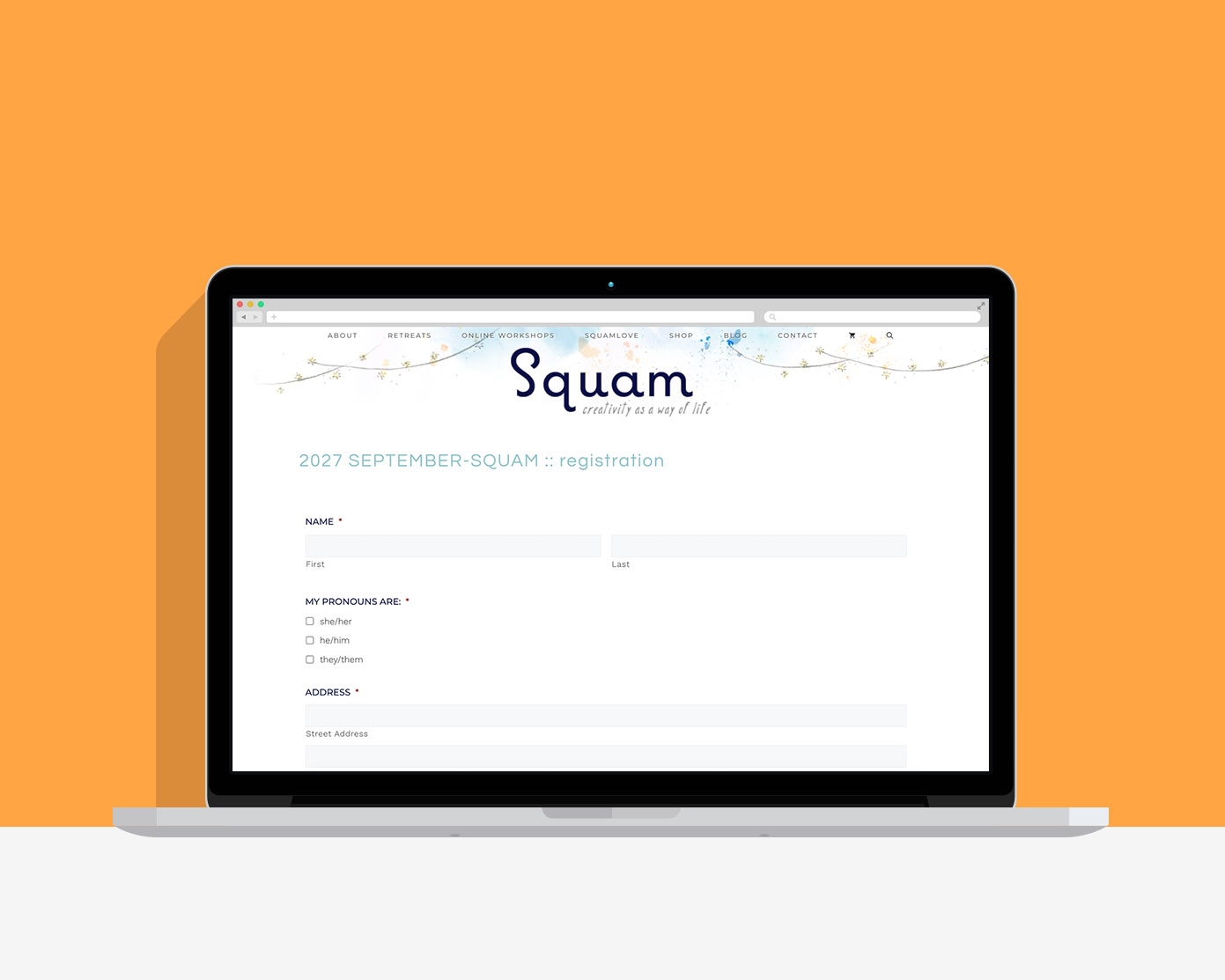
Registration was “working.”
It just wasn’t working for the owner.
Creative retreats with online registration + payment
BEFORE
Retreat registrations ran on an outdated, tough-to-use plugin. She was checking in with every registrant by hand because she couldn’t tell whose confirmation emails went out.
RESULT
3 plugins removed, 1 added, low-stress retreat registration set up in an hour.
The cracks were impossible to ignore
Launching a retreat meant a lot of technical work on Elizabeth’s end. Registrations ran through a clunky plugin that was no longer being updated by the creator. Which is one of the reasons why it didn’t reliably send confirmation emails to the folks signing up. Not ideal for making a great first impression with retreat attendees.
Changes had to be made in several different places on the site, so she was never quite sure where to go to update something. She spent time searching the site to catch every edit required + then she’d send it to me for a second look, costing her time + money. Plus, because she couldn’t tell who had received their confirmations, she ended up checking in with every single registrant by hand. The year that she had 3 retreats to organize, the stress was too much + tolerating what had been “working” was no longer viable.
How I saved her time, money + (most importantly) stress
The old setup was wiped from the site + Gravity Forms, yup a single plugin, replaced it. That meant removing 3 paid plugins + adding just 1. Because a Gravity Forms Pro license is included in Site Care Club, that also means she no longer has plugin renewal fees to pay for.
Now, when she’s ready to open registration for a new retreat, or 3 like she did for 2027, she sends me 4 things:
- The classes being offered at the retreat
- Lodging pricing + availability
- The date registration goes live
- Anything about the process that should change
From there, I clone the previous retreat’s form* + edit two fields (classes + pricing). I update the confirmation email with the new dates, then swap the form on the registration page. I also test the forms before anything goes live + share the entire process with a recording for Elizabeth to review.
*Cloning the previous form allows her to keep previous data + stats separate from new events. I don’t just solve immediate problems. I keep the 10,000 foot view in mind.
Your time as the business owner is worth more than any plugin fees
She could make these edits herself because it now all happens in one place. But with development time included in her hosting plan, she gladly hands the task over. That allows her to focus on marketing + planning the retreat instead. The stuff she really wants to spend her time on.
How WordPress truly works for her business now
Elizabeth’s existing site behaves like a member of her tiny team. I was able to track down the problem, map out what would make her life easier + make it a reality all while she focused on her upcoming retreats. We’ve been using this system to launch retreats for a couple years now + it’s continued to help her sell them out every time.
- 3 plugins removed, 1 added, saving over $129 every year in renewal fees
- The most recent retreat setup took 1 hour, including edits, form testing + some pre-launch changes
- Registrants receive their confirmation emails + there’s a record showing it worked (no more checking in with everyone)
- She’s less stressed + knows what to expect each time
The impact it had on Elizabeth + her business
“I couldn’t be more thrilled, Alison is a dream to work with! SO dialed in. I’m in the best professional hands, yet she’s so personable.
I send her four details and my retreat registration is live. Fast, easy, done. It’s a gift to have her as my web guru.”

— Elizabeth Duvivier
Owner, Squam Art Workshops
1 hour setup, 3 plugins down to 1, $129/year saved in plugin fees alone.
Her site is still in good hands
I host + maintain this WordPress site, with development time included in her Site Care Club hosting plan. That means getting her new retreats live quickly, keeping the site running during retreat launch announcements + protecting her business from hackers all year long.
Stop settling for “working” while knowing that your site isn’t working for you. Tell me where WordPress is letting you down + I’ll tell you exactly how I can help.